

CheckMyHTTPS was developed in response to the following observations
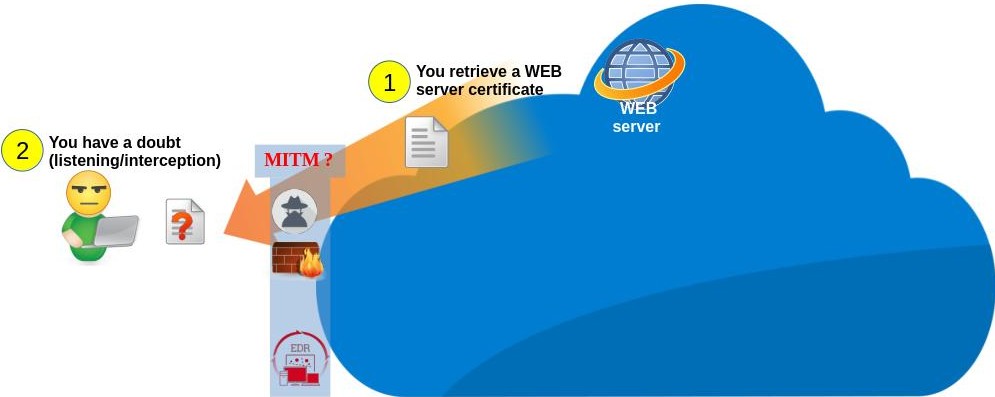
Before transferring encrypted data (HTTPS), a web server proves its identity to your browser by sending its security certificate (its identity card) (see phase 1 of the diagram below). This certificate has been previously validated (signed) by a certification authority recognized by your browser.
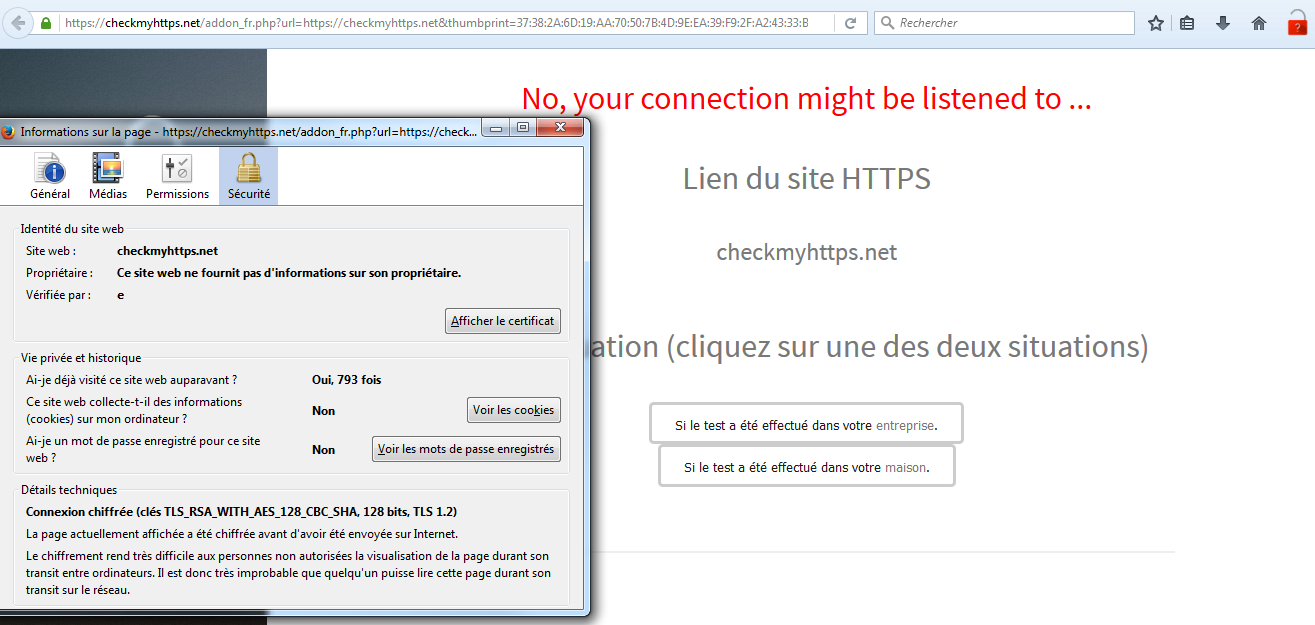
To work, Man In The Middle (MITM) interception techniques dynamically generate fake certificates that have not been validated by a recognized authority. However, there are scenarios that can force your browser to accept these fake certificates (3 of them are presented below). CheckMyHTTPS allows you to verify that the certificate you receive is the one issued by the server you want to connect to.
Scenario 1 - A pirate
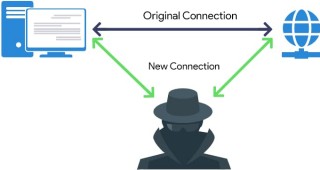
Malicious techniques for intercepting encrypted traffic are now well documented. This means that a pirate connected to the same local network as you (wired or WIFI), can use these techniques to intercept, analyze or modify your secure traffic. To prevent your browser from detecting that the certificates are fake, the pirate will first try to display web page urging you to install its certification authority. If its attack is successful, CheckMyHTTPS will still detect the SSL/TLS interception and display a red padlock. To carry out the interception, the pirate must be on the same local network as you, or he must create a local network that you think is yours. This can be tricky on properly secured wired (Ethernet) or WIFI home or corporate networks. However, on public WIFI networks (open access points), the pirate has an infinite playground...
Scenario 2 - Cybersecurity equipment
Several cybersecurity devices deployed by IT departments (firewalls, proxies, intrusion prevention systems, etc.) include features that enable them to inspect encrypted traffic leaving the network via Internet (HTTPS, POP3S, SMTPS, xxxxS). When this feature is inabled, all secure traffic is decrypted for analysis by security modules (anti-malware, information leak detection, blocking of prohibited sites, alerts, etc.). In order to comply with privacy regulations, users must be made aware of this feature (e.g., by signing an IT charter).
Example with FortiGate® Firewall
The administrator can enable the 'SSL/TLS inspection' in the firewall control panel. To prevent browsers from reacting, the firewall certificat will have been deployed on employees devices (automatically via a GPO, for example).
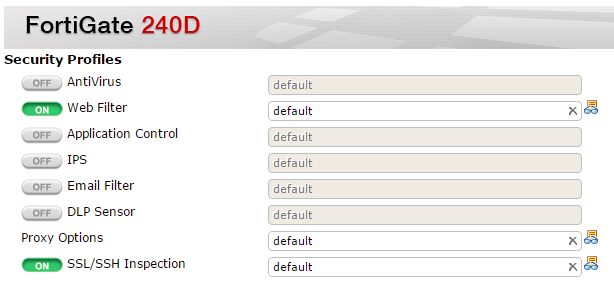
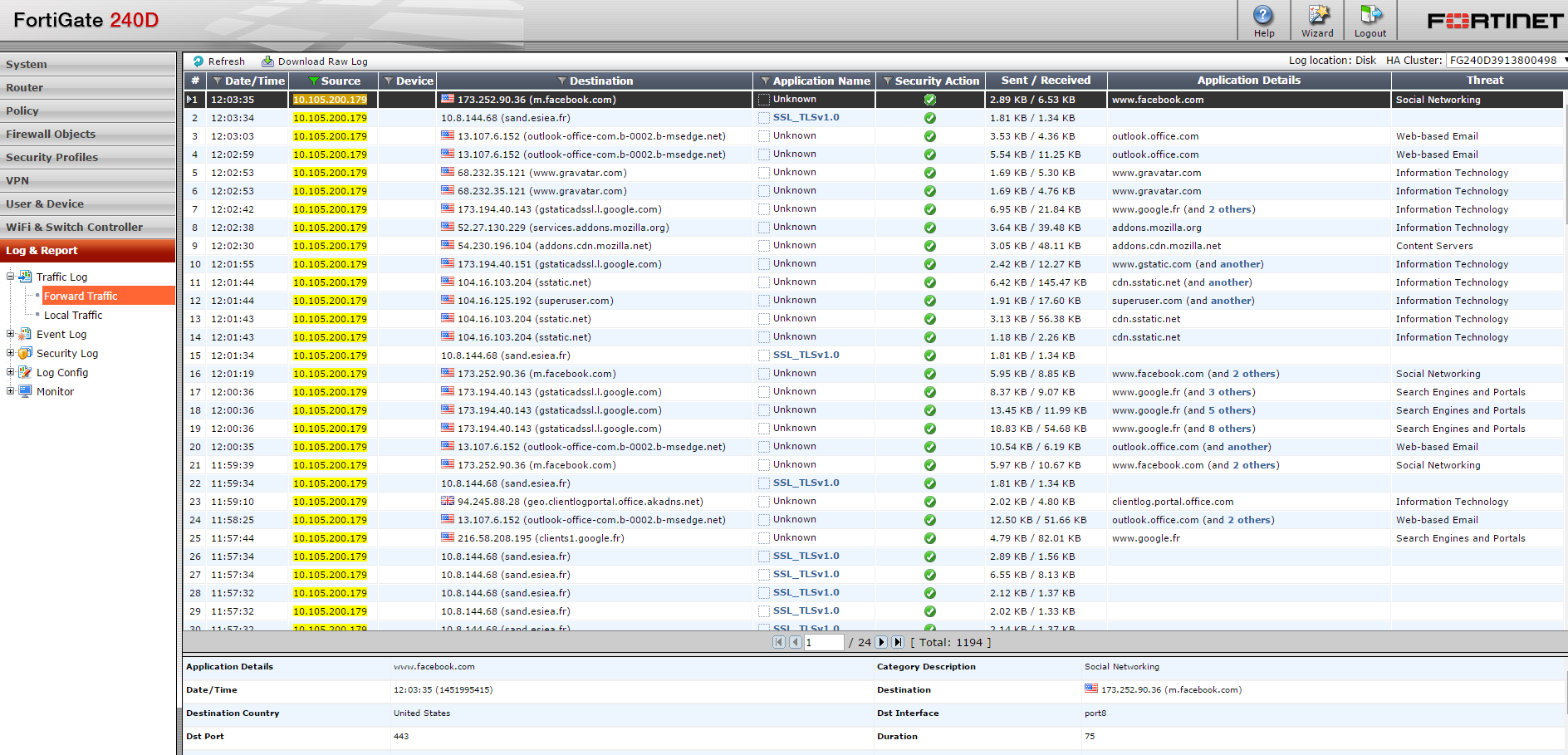
The firewall can then extract the unencrypted streams to store them or send to analysis modules.
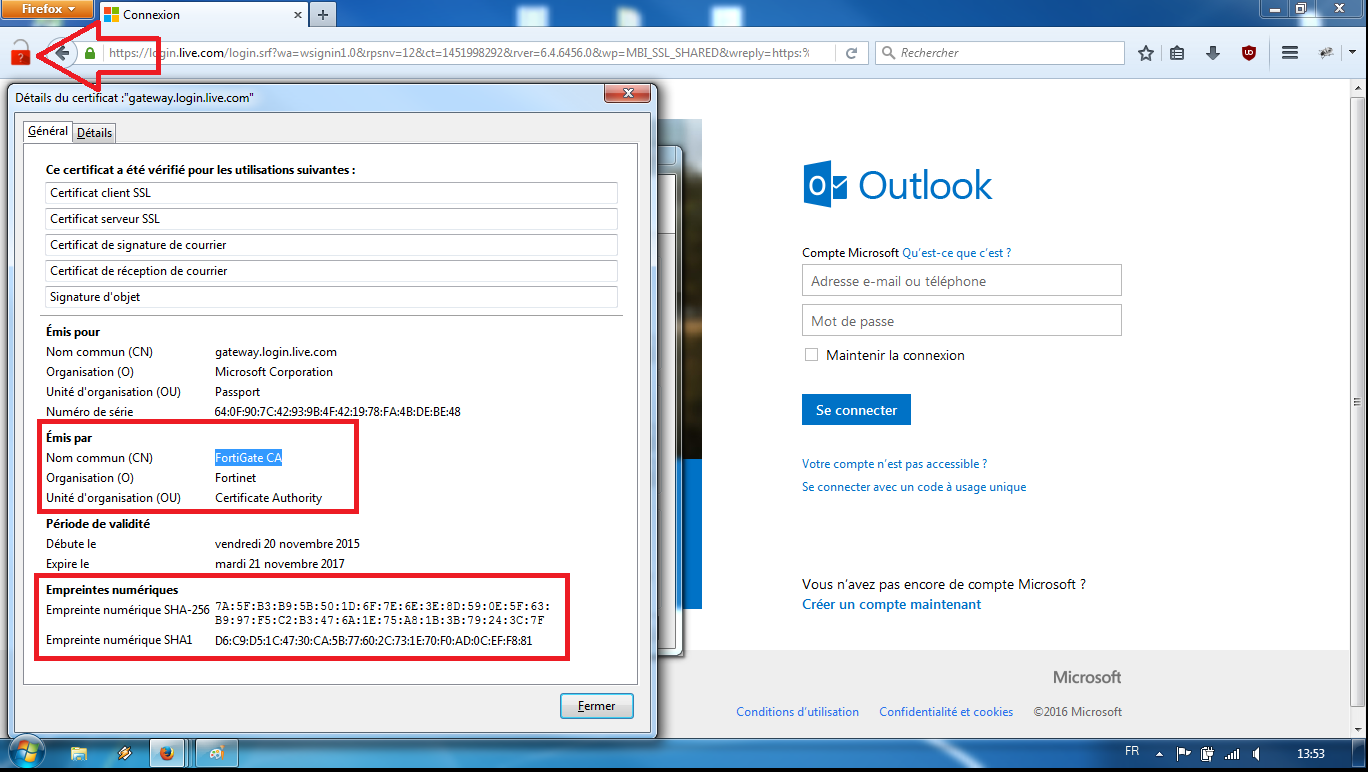
In the following example, the CheckMyHTTPS module has detected (red padlock) that the certificate received by 'Microsoft Outlook'® (forged dynamically by the firewall) differs from the certificate send by the mail server (login.live.com). It is thus the proof of an interception SSL/TLS.
Scenario 3 - Cyberprotection softwares
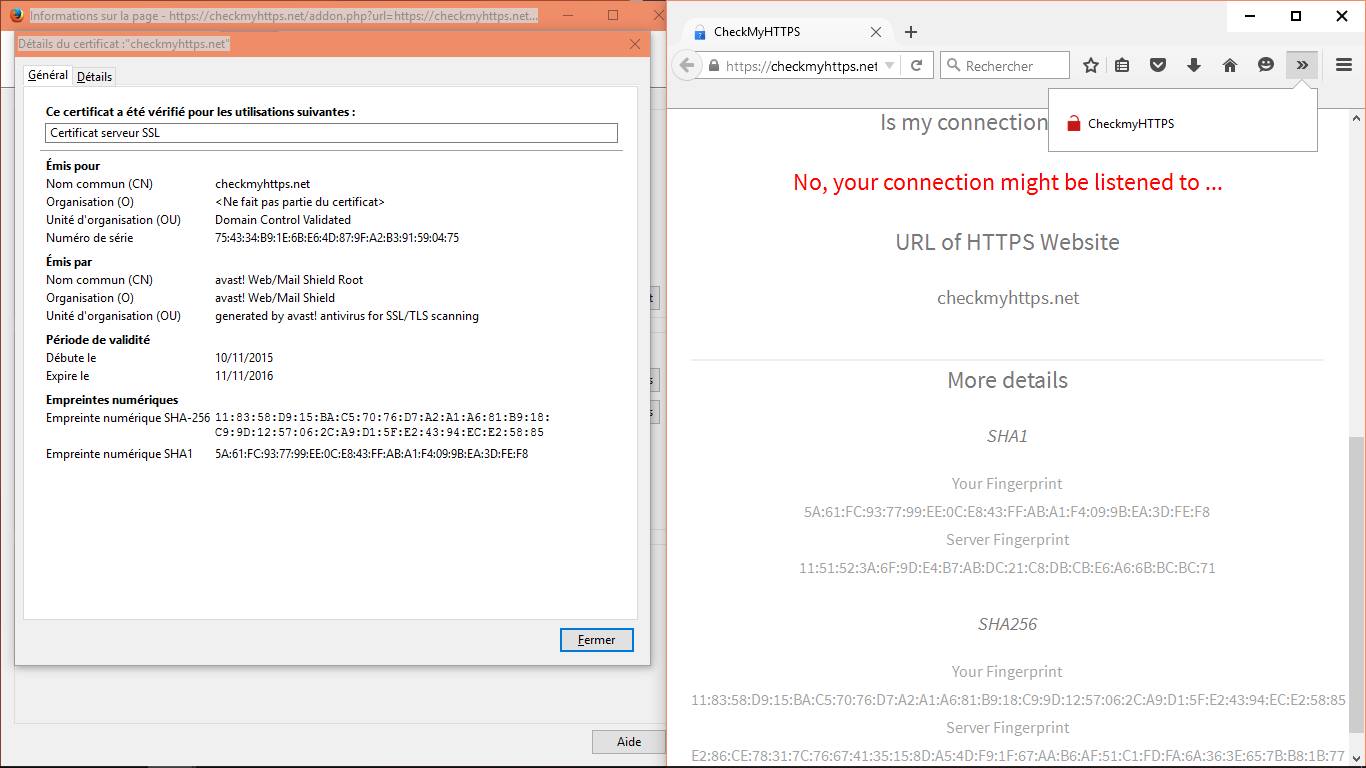
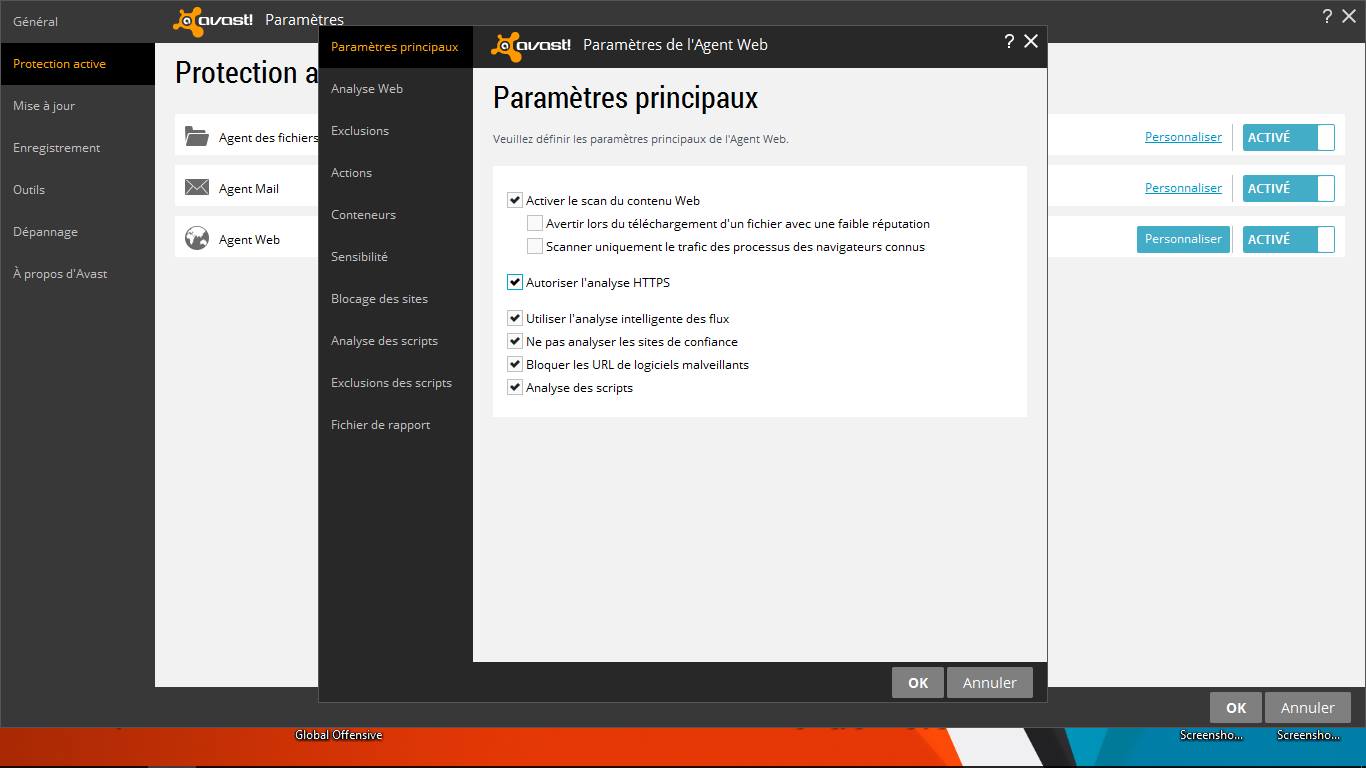
Cyber protection softwares (antivirus, antimalware, EDR, etc.) installed on PCs/tablets/mobile phones can intercept and decrypt secure SSL/TLS traffic leaving the device. The editors of these softwares justify this behavior by the need for protection, even within encrypted flows. To prevent browsers from reacting to this local interception technique (MiTM), these softwares add their certification authority to browsers at the time of installation.
Example with Avast!®
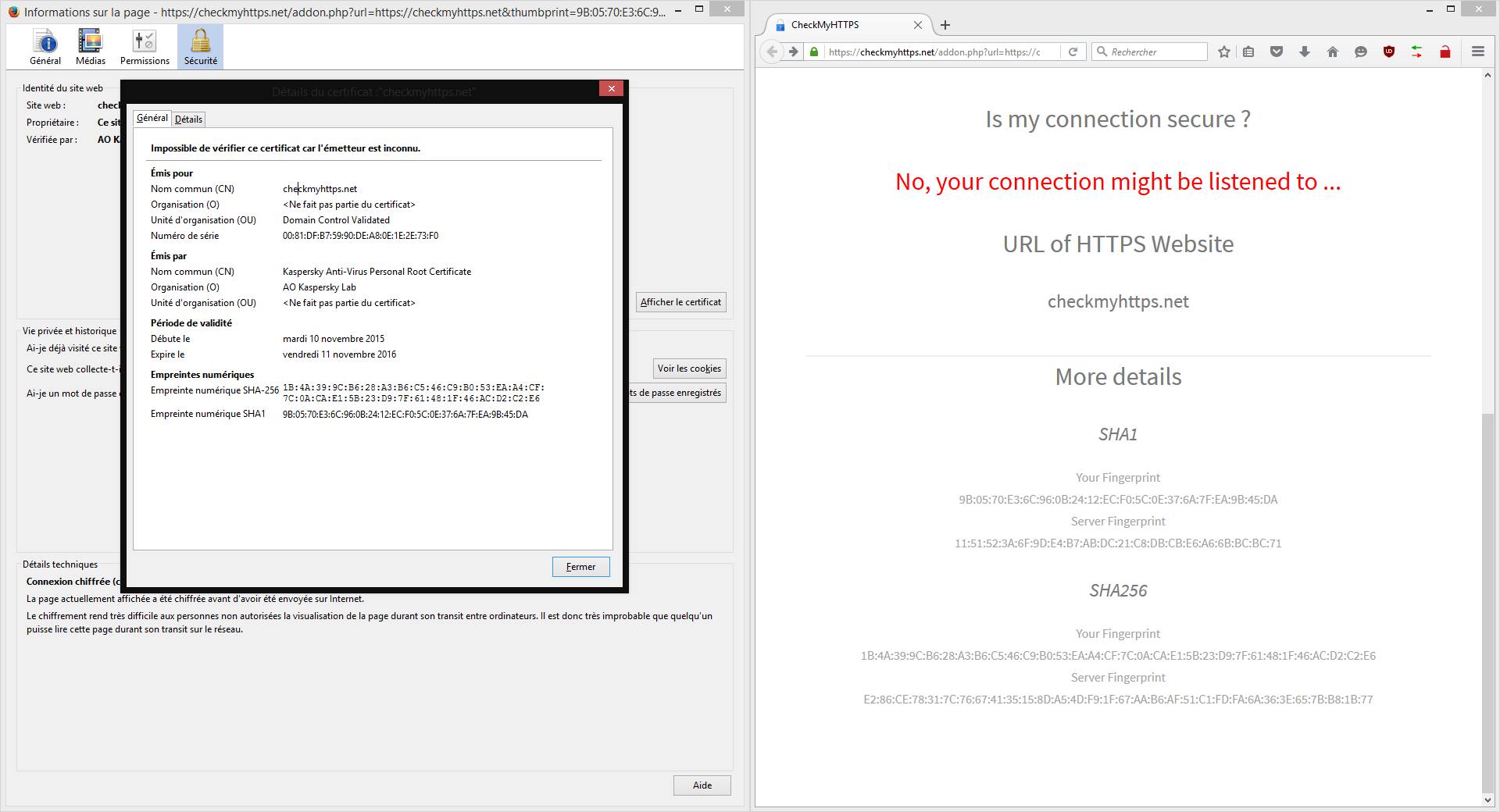
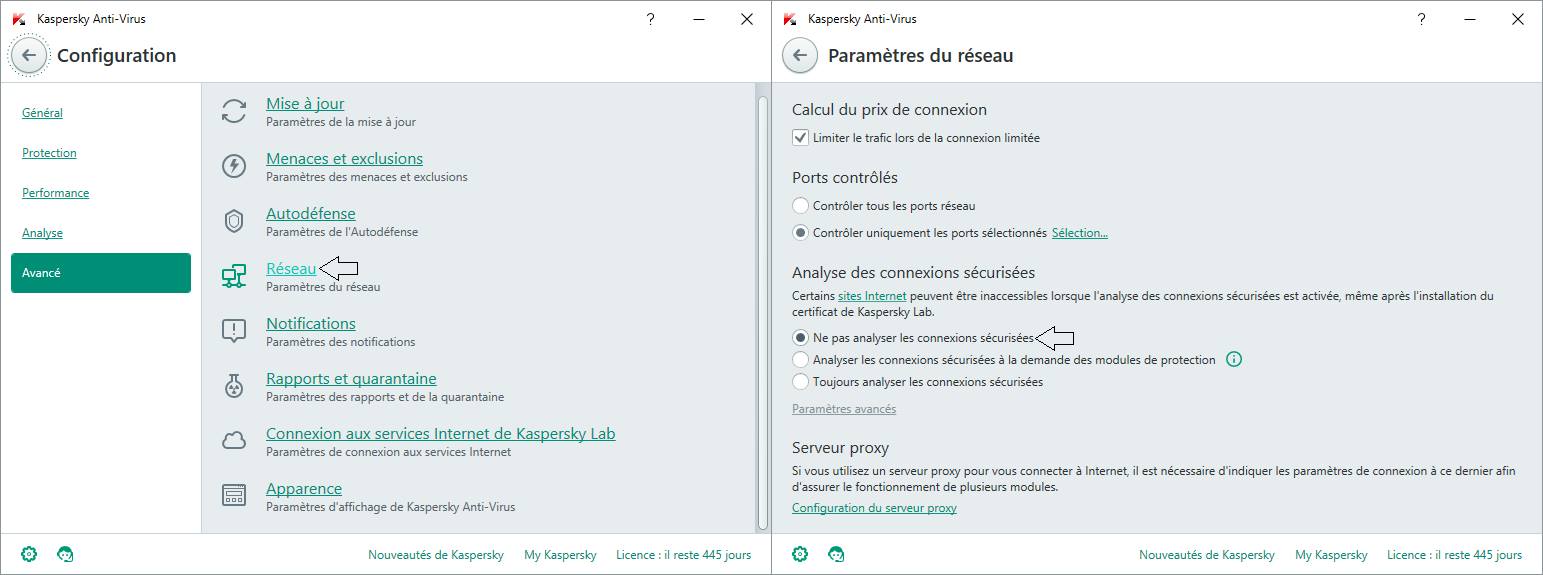
Example with Kaspersky®